

Release and deploy
A workflow goes live in three moves, each a button on the Editor tab and a CLI command:
| Move | What it does | ROC | CLI |
|---|---|---|---|
| Save | Stores the canvas as the workflow’s shared draft. Nothing runs it. | Save | (the repo is the draft) |
| Release | Checks the draft and gives it a version number. Nothing runs it yet. | Release | mk release |
| Deploy | Makes a release live: new runs, events, schedules, and webhooks use it. | Deploy | mk deploy <version> |
Rolling back is deploying an older release.
Save
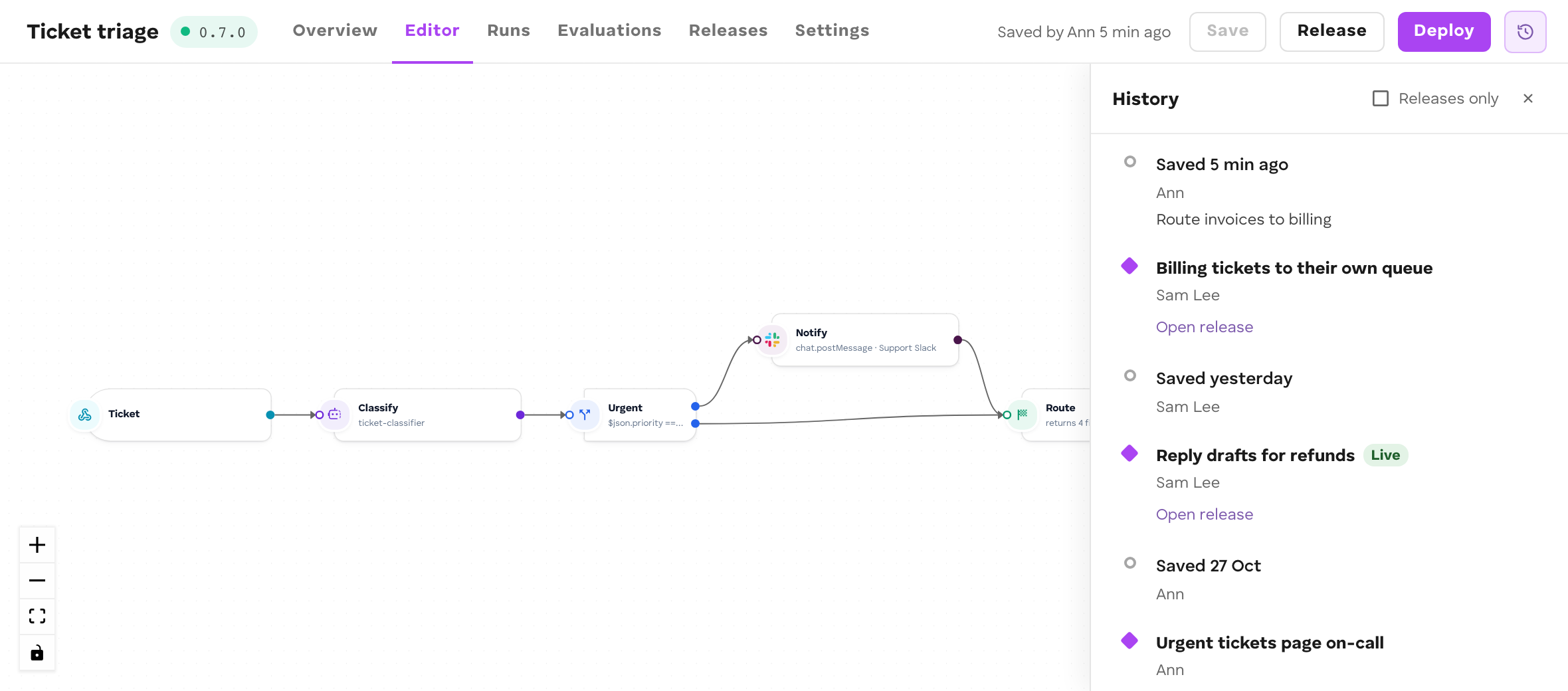
Save writes the canvas as the workflow’s draft, shared with everyone who can open the workflow. The bar shows who saved it last (Saved by Ann 5 min ago). If someone else saved since you opened the draft, Save asks before writing over their changes.
History lists every save and release, newest first. Select one to see it on the canvas; Copy into draft makes it the draft. Releases only hides the saves.
A workflow built from a repo with mk build is edited in the repo: Save, Release, and Deploy are off in ROC, and the CLI does the same work.
Release
Release opens a dialog with Version (the patch after the newest release, editable), Title, and Notes (drafted from the changes since the previous release). Pressing Release:
- Builds the draft and publishes it as a check candidate,
0.0.0-c.<hash>, that nothing runs live. - Runs the checks against the candidate:
- AI review: a model reads the graph, its prompts, and its settings against a fixed checklist. It reports warnings; it never blocks.
- Experiments: every dataset marked Required for release runs as an experiment.
- If every required experiment passes its rule, publishes the draft as the numbered version, with the checks recorded on it. If one fails, nothing gets a number: Not released, with Open failed cases.
Keep the dialog open while it checks; closing it cancels the release. Checks are cached by the graph’s content: releasing the same graph again reuses a passing experiment if the dataset’s cases have not changed since, and reuses the AI review.
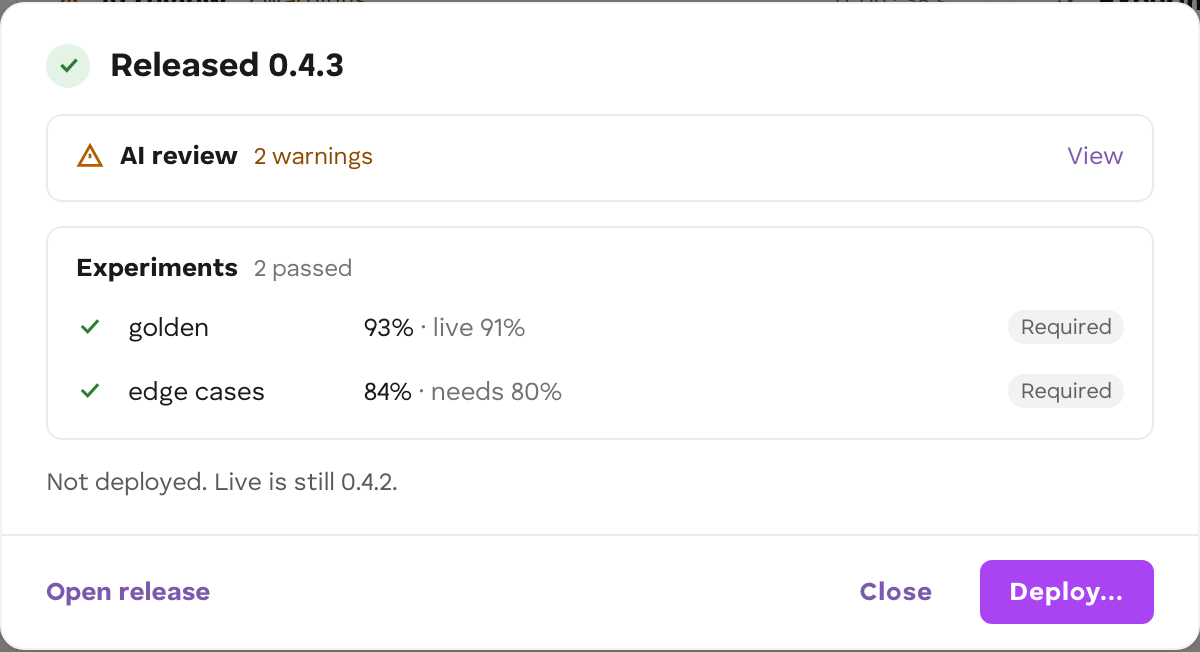
A release is not live. Released 0.4.3 is followed by Not deployed. Live is still 0.4.2. and Deploy….
The AI review
| Rule | Checks that |
|---|---|
| writes survive a retry | A step that writes (cubby, memory, connector action, published event) is keyed so a retried run does not overwrite or duplicate it. |
| failures are loud | A missing input, an empty model answer, or a failed call ends the run as failed, not as a completed run with an empty result. |
| every branch reaches a result | Every branch and gate outcome leads to a Result or an explicit failure. |
| prompts name their output | Every prompt says what format its answer must have, and the next step expects that format. |
| secrets come from connections | No key, token, or password is written into params or prompts. |
| model calls have a timeout | Every model, agent, and external call has a timeout, or runs under a step that has one. |
| people are asked through a gate | A person decides through a human step, not a message the run doesn’t wait for. |
| no step loops without a limit | Every loop has a maximum number of rounds and says what happens when it is reached. |
Each finding names the step, what is wrong, and the fix. Untick Run AI review to skip it; a release made without it shows AI review · not run.
Required datasets
Open a dataset on the Evaluations tab and set Required for release in its heading. Pick the rule:
| Rule | Passes when |
|---|---|
| Not worse than live | Accuracy is not below the accuracy of the live release on the same dataset. |
| Accuracy at least N% | Accuracy is N% or more. |
Cost, tokens, and duration are recorded on the release but never block it. The dataset list marks required datasets with Required. Release experiments are named after the release, and run like any experiment: in the workflow’s vault, with real model calls and side effects. See Experiments.
With no dataset required, Release is the AI review and a number. If the required datasets cannot be read, Release stops: it cannot tell what is required.
Deploy
Deploy opens Deploy {workflow}: pick a release, see its checks (AI review, Experiments) and the release it Replaces, then Deploy. When the AI review warned, its findings open and Deploy shows a warning mark. A release with no checks offers Run checks first.
Deploying:
- points the workflow’s default deployment at the release;
- moves the workflow’s
latestversion to it. The workflow’s triggers (events, schedules, webhooks) are read fromlatest, so they always follow what is live. A release that is not deployed changes nothing.
Runs already in progress finish on the version they started with.
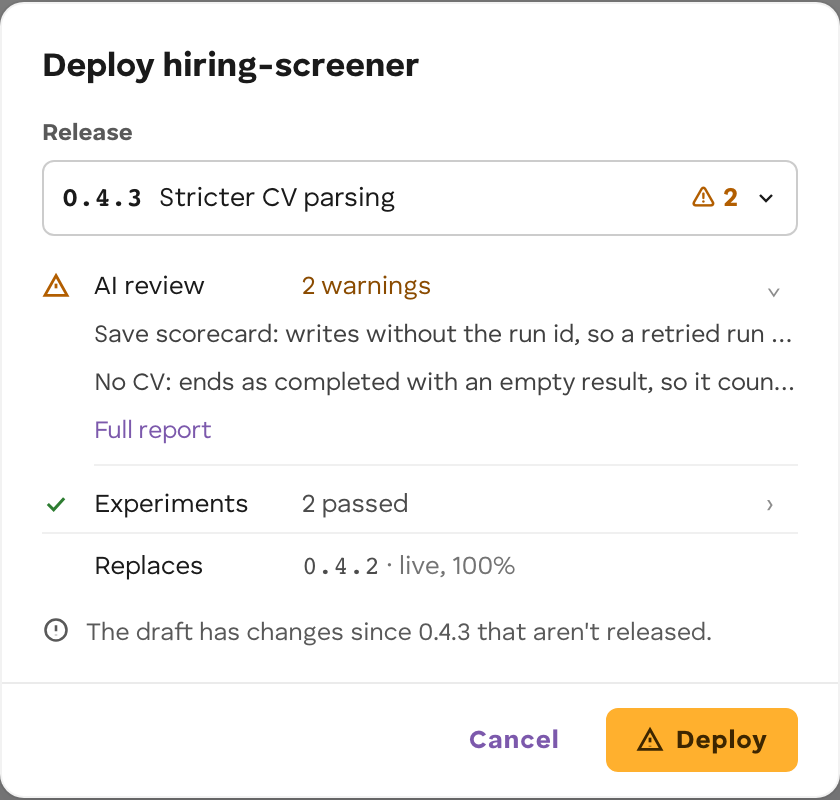
Roll back: pick an older release in Deploy (Roll back to 0.3.9, with when it last ran live), or select it on the Releases tab and choose Roll back to this.
Releases tab
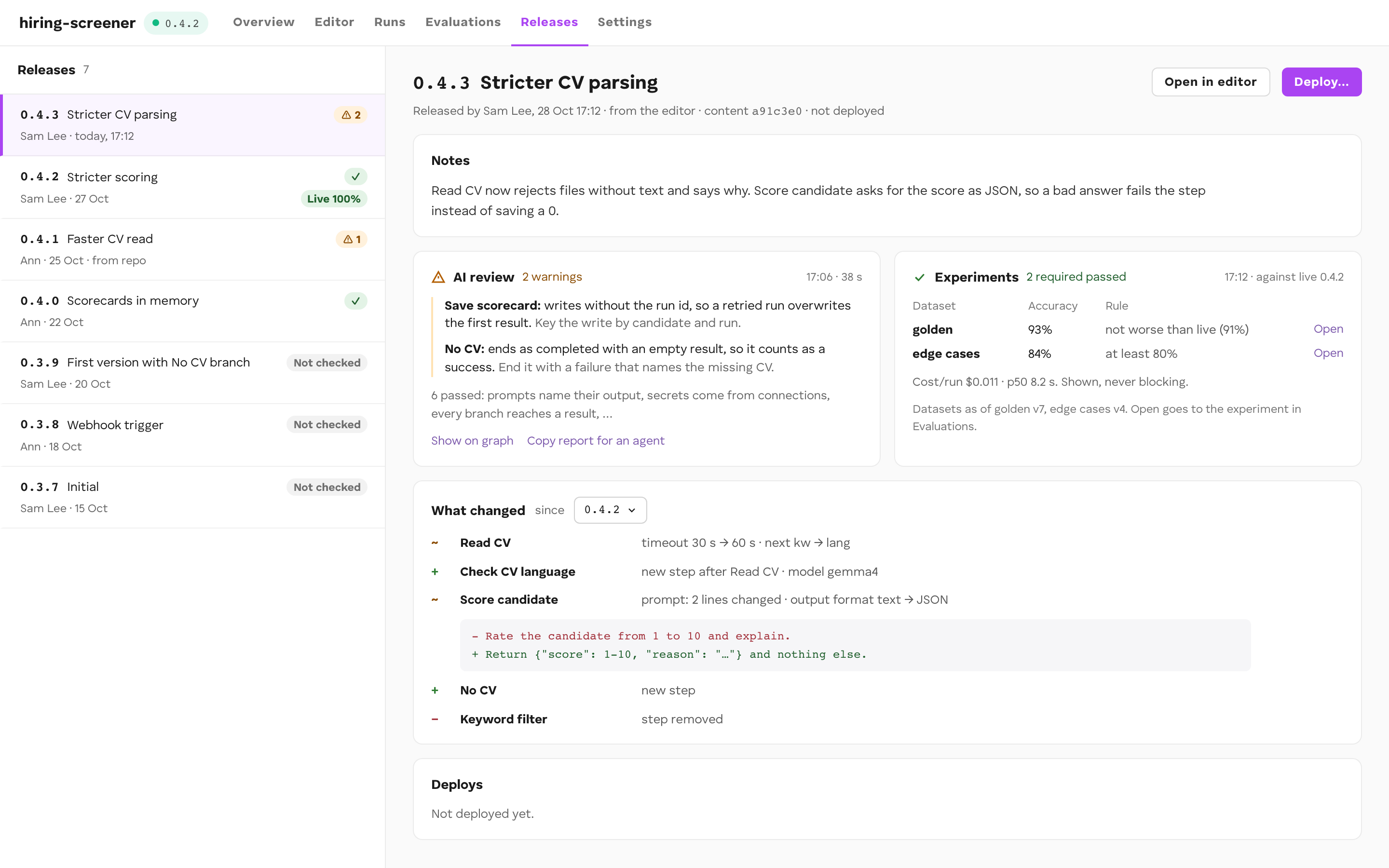
Every release, newest first, with its title, who released it, its AI review, its Experiments (dataset, rule, accuracy), What changed since another release (pick it under Since; Show on graph), its Notes, and its Deploys. The live one is marked Live.
Releases from before checks existed, and versions pushed with mk push, show Not checked; they can be deployed. mk check <version> runs the checks on one without changing it.
From the CLI
mk buildmk release --title "Language check before scoring"mk deploy 0.4.3mk release [version] checks the built workflow the same way ROC does and publishes the version if every required dataset passed. It exits 1 when a required dataset failed. It refuses a version that already exists.
| Flag | Meaning |
|---|---|
[version] |
X.Y.Z. Default: the patch after the newest release. |
--title <text> |
Default: the last commit’s subject. |
--notes <text>, --notes-file <file> |
Default: the commit subjects since the previous release. |
--skip-review |
Skip the AI review. Required datasets cannot be skipped. |
--json |
Print JSON. |
mk deploy <version> shows the release’s checks, then repoints the default deployment and moves latest. When the AI review warned, it asks on a terminal and needs --accept-warnings otherwise. --dry-run prints what would change. In CI or a script, add --yes: with nobody to ask, mk deploy <version> stops before changing anything without it. Without a version, mk deploy applies the deployments/ folder; see Push and deploy.
# CImk deploy 0.4.3 --dry-run # what would change, as JSONmk deploy 0.4.3 --yes --accept-warnings| Command | Shows |
|---|---|
mk release list |
Releases, newest first, with their checks and what is live. |
mk release show <version> |
One release: who, notes, AI review, experiments. |
mk release diff <from> <to> |
Steps added, removed, and changed. |
mk check <version> |
Runs the checks on an existing release. |
mk eval cases <experiment> [--failed] |
An experiment’s runs, case by case. |
All flags are on the CLI reference.
mk push still publishes a version and moves latest at once, without checks.